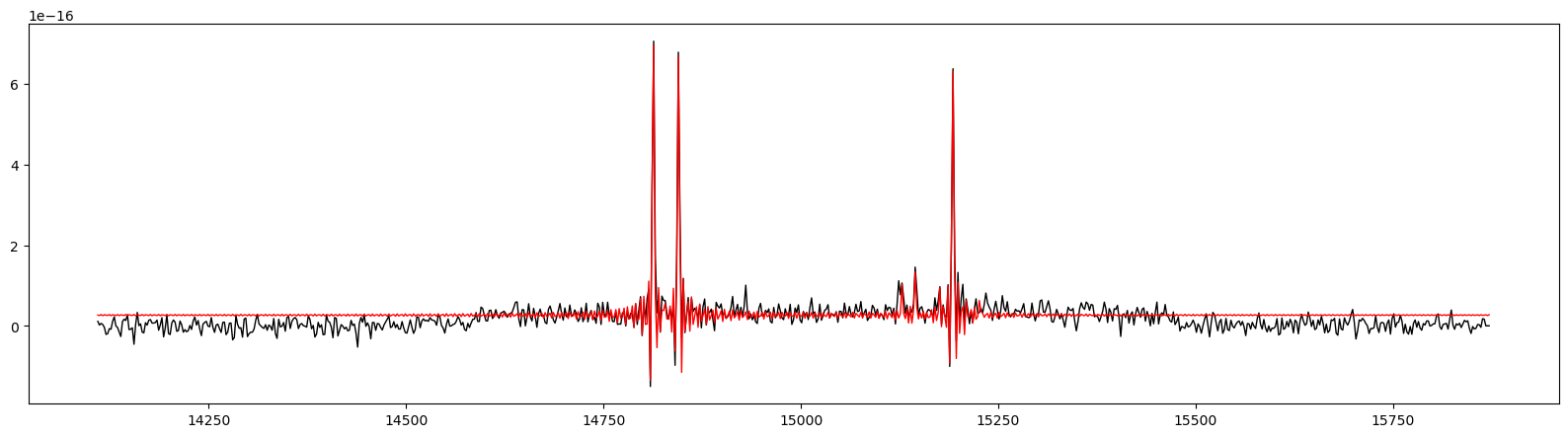
Check obtained fit
Here is a way to check what fit was produced by ORCS and compare it to the original data.
[2]:
import orcs.core
import matplotlib.pyplot as pl
[3]:
# load your data cube
cube = orcs.core.SpectralCube('/home/thomas/data/M1_2022_SN3.merged.cm1.hdf5')
dev.0624|INFO| CFHT version
dev.0624|INFO| Cube is level 2.5
dev.0624|INFO| shape: (2048, 2064, 847)
dev.0624|INFO| wavenumber calibration: True
dev.0624|INFO| flux calibration: True
dev.0624|INFO| wcs calibration: True
[4]:
# load the fitted maps (all the maps are stored as an HDF5 archive found in the MAPS/ folder)
maps = orcs.core.LineMaps.load('/home/thomas/data/M1-2022/Crab-nebula_SN3/MAPS/Crab-nebula_SN3.LineMaps.maps.3x3.hdf5')
dev.0624|INFO| creating output file for 20 parameters x 15 lines (0.5630592 Go)
dev.0624|INFO|  > allocating: height
dev.0624|INFO|  > allocating: height-err
dev.0624|INFO|  > allocating: amplitude
dev.0624|INFO|  > allocating: amplitude-err
dev.0624|INFO|  > allocating: velocity
dev.0624|INFO|  > allocating: velocity-err
dev.0624|INFO|  > allocating: fwhm
dev.0624|INFO|  > allocating: fwhm-err
dev.0624|INFO|  > allocating: sigma
dev.0624|INFO|  > allocating: sigma-err
dev.0624|INFO|  > allocating: flux
dev.0624|INFO|  > allocating: flux-err
dev.0624|INFO|  > allocating: logGBF
dev.0624|INFO|  > allocating: chi2
dev.0624|INFO|  > allocating: rchi2
dev.0624|INFO|  > allocating: ks_pvalue
dev.0624|INFO|  > allocating: cont_p0
dev.0624|INFO|  > allocating: cont_p1
dev.0624|INFO|  > allocating: cont_p2
dev.0624|INFO|  > allocating: cont_p3
[5]:
binning = 3 # the binning value is very important to set
x, y = 990, 1005 # pixel position of the spectrum (bottom-left pixel of the binned area)
spec_orig = cube.get_spectrum_bin(x,y, binning)
spec_fit = maps.get_spectrum(cube, x, y)
pl.figure(figsize=(20,5))
spec_orig.plot(c='black', lw=1)
spec_fit.plot(c='red', ls='-', lw=1)
[ ]: